Understanding REST APIs with Node.js and Express
If you're aiming to become a solid backend or full-stack developer, understanding REST APIs is absolutely essential. Let’s break it down in a simple, practical way using Node.js and Express.js.
🌐 What is a REST API?
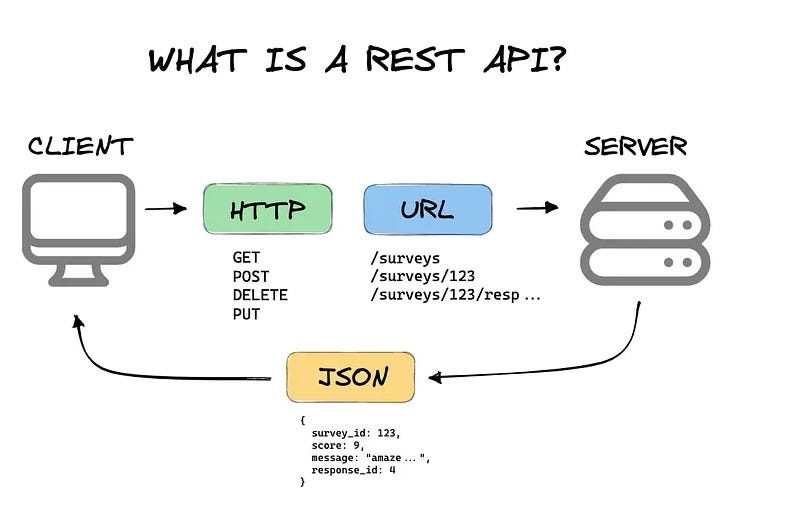
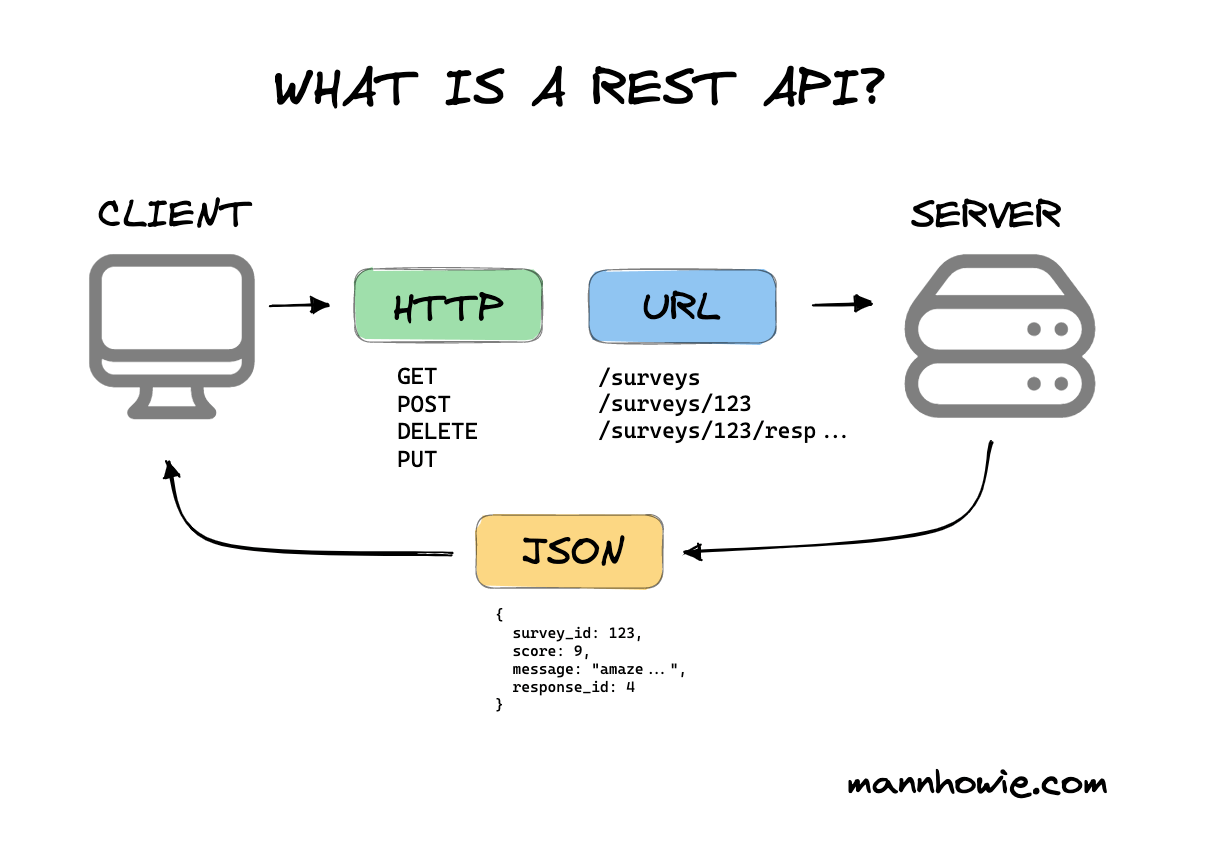
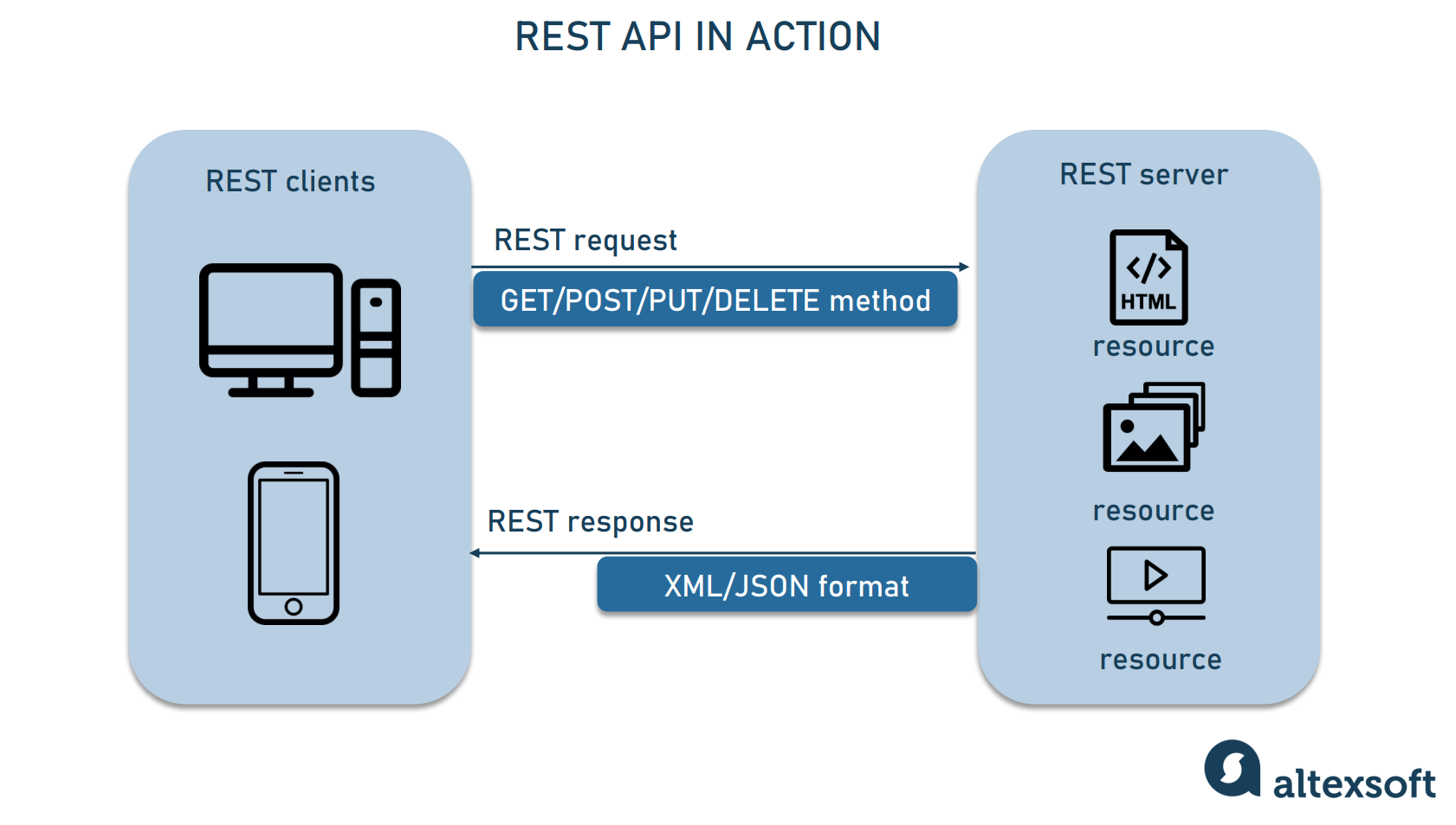
A REST API (Representational State Transfer) is a way for different systems to communicate over HTTP.
👉 It follows a client-server architecture:
- Client → Sends request
- Server → Processes & sends response
🔑 Key Concepts:
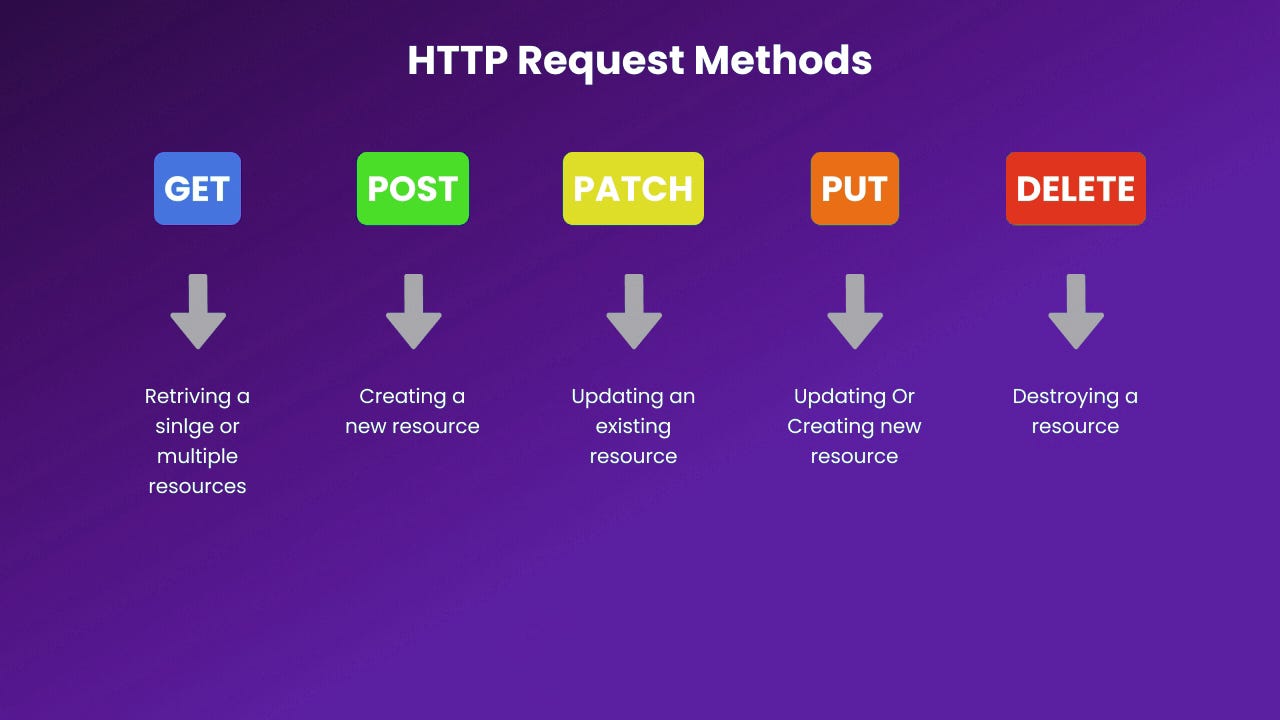
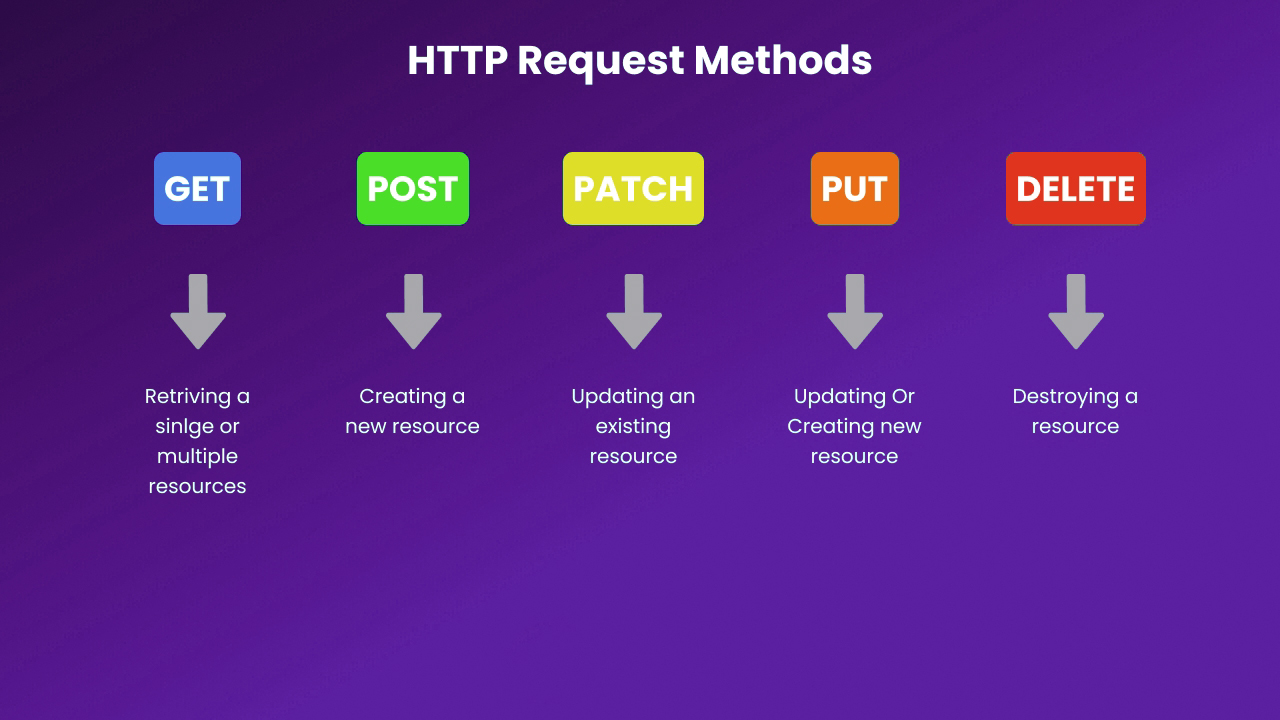
- Uses HTTP methods (
GET,POST,PUT,DELETE) - Works with resources (like users, products)
- Stateless (each request is independent)
⚙️ Why Use Node.js + Express?
🚀 Node.js
- Runs JavaScript on the server
- Fast & event-driven
- Great for scalable applications
🚀 Express.js
- Minimal and flexible framework
- Simplifies routing & middleware
- Perfect for building APIs quickly
👉 Together, they’re one of the most popular stacks for backend development.
📦 Setting Up a Basic REST API
1️⃣ Initialize Project
mkdir rest-api
cd rest-api
npm init -y
npm install express
2️⃣ Create Server
const express = require('express');
const app = express();

app.use(express.json()); // Middleware to parse JSON

app.listen(3000, () => {
  console.log("Server running on port 3000");
});
🔗 Understanding Routes (Endpoints)

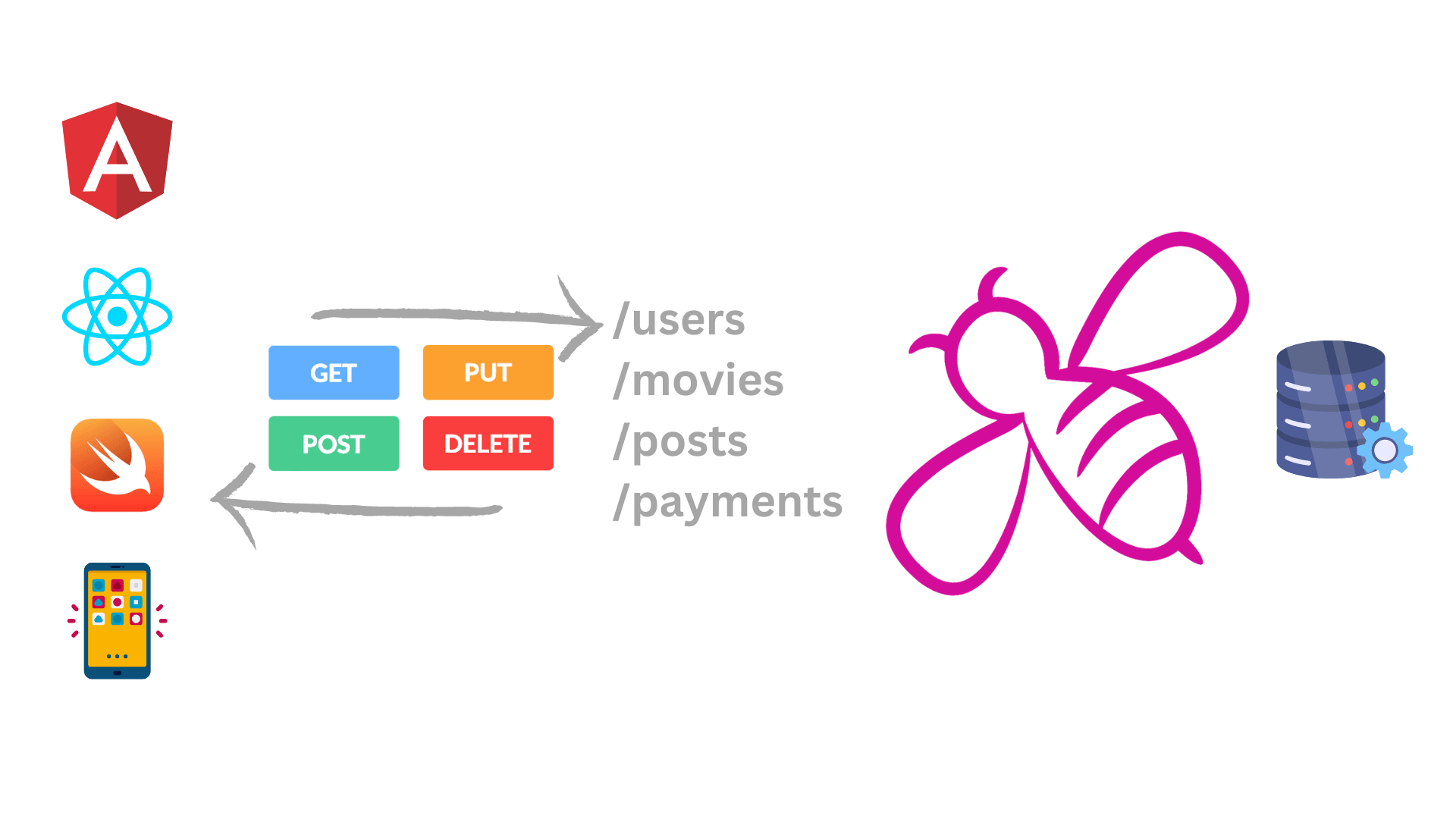

In REST APIs, routes represent resources.
Example: /users
🔄 CRUD Operations (Core of REST)
| Operation | HTTP Method | Example |
|---|---|---|
| Create | POST | /users |
| Read | GET | /users |
| Update | PUT | /users/:id |
| Delete | DELETE | /users/:id |
✨ Example Code
let users = [];

// GET all users
app.get('/users', (req, res) => {
  res.json(users);
});

// POST create user
app.post('/users', (req, res) => {
  const user = req.body;
  users.push(user);
  res.status(201).json(user);
});

// PUT update user
app.put('/users/:id', (req, res) => {
  const id = req.params.id;
  users[id] = req.body;
  res.json(users[id]);
});

// DELETE user
app.delete('/users/:id', (req, res) => {
  const id = req.params.id;
  users.splice(id, 1);
  res.json({ message: "User deleted" });
});
🧠 Important Concepts
🔹 Middleware
Functions that run before request reaches route
app.use((req, res, next) => {
  console.log("Request received");
  next();
});
🔹 Status Codes
| Code | Meaning |
|---|---|
| 200 | OK |
| 201 | Created |
| 400 | Bad Request |
| 404 | Not Found |
| 500 | Server Error |
🔹 Request & Response
req→ Incoming data (params, body, query)res→ Send response (res.json(),res.send())
🔐 Best Practices
✅ Use proper HTTP methods
✅ Keep routes clean (/users, not /getUsers)
✅ Handle errors properly
✅ Use environment variables
✅ Validate input data
🚀 Real-World Example Structure
project/
│── routes/
│── controllers/
│── models/
│── middleware/
│── app.js
👉 This makes your API scalable and maintainable.
⚡ Sample Advanced Pattern
// Controller
exports.getUsers = (req, res) => {
  res.json(users);
};

// Route
router.get('/users', getUsers);
🏁 Final Thoughts
-
REST APIs are the backbone of modern apps
-
Node.js + Express.js make it simple and powerful
-
Mastering this helps you build:
- Full-stack apps
- Microservices
- Scalable backend systems
🔥 What You Should Do Next
- Build a User Management API
- Add a database (MongoDB / SQL)
- Add authentication (JWT)
- Deploy it
If you want, I can:
- Give you a production-level folder structure
- Help you build a complete API with MongoDB
- Share interview questions on REST APIs
Just tell me 👍